 Silk
Home Screen
Widgets that pass for something else
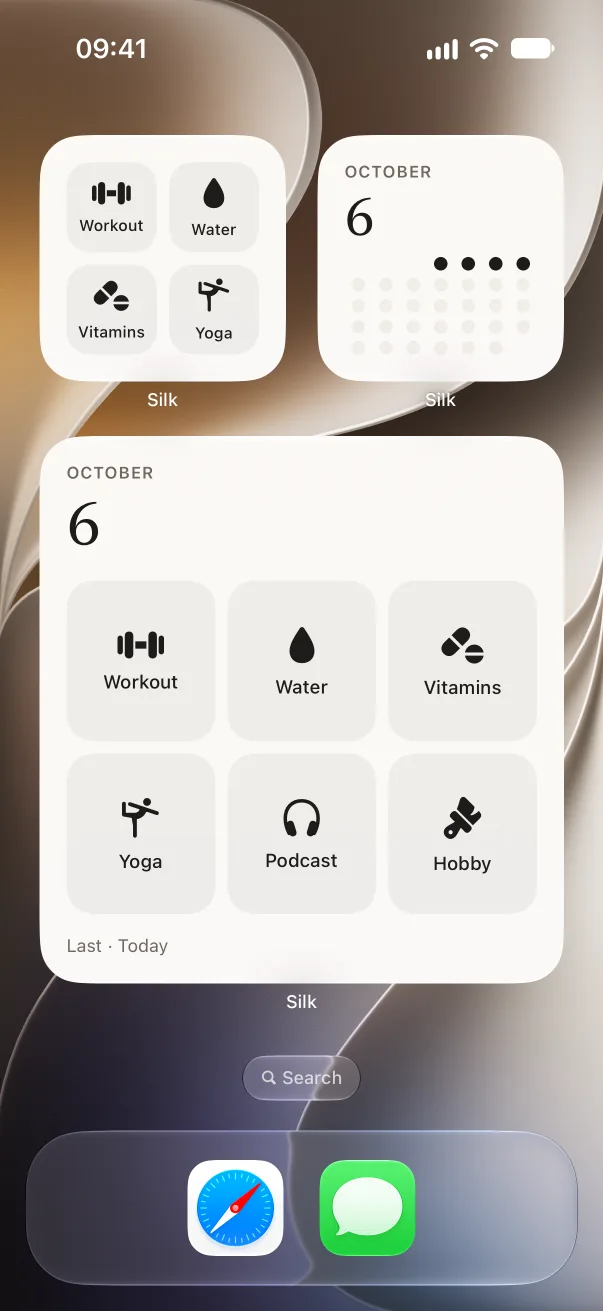
Discreet widgets look like a habit tracker, so the Home Screen gives nothing away.
Silk Privacy
If someone picks up your phone and taps the app, they see a calculator.

Free to use
with one partner.
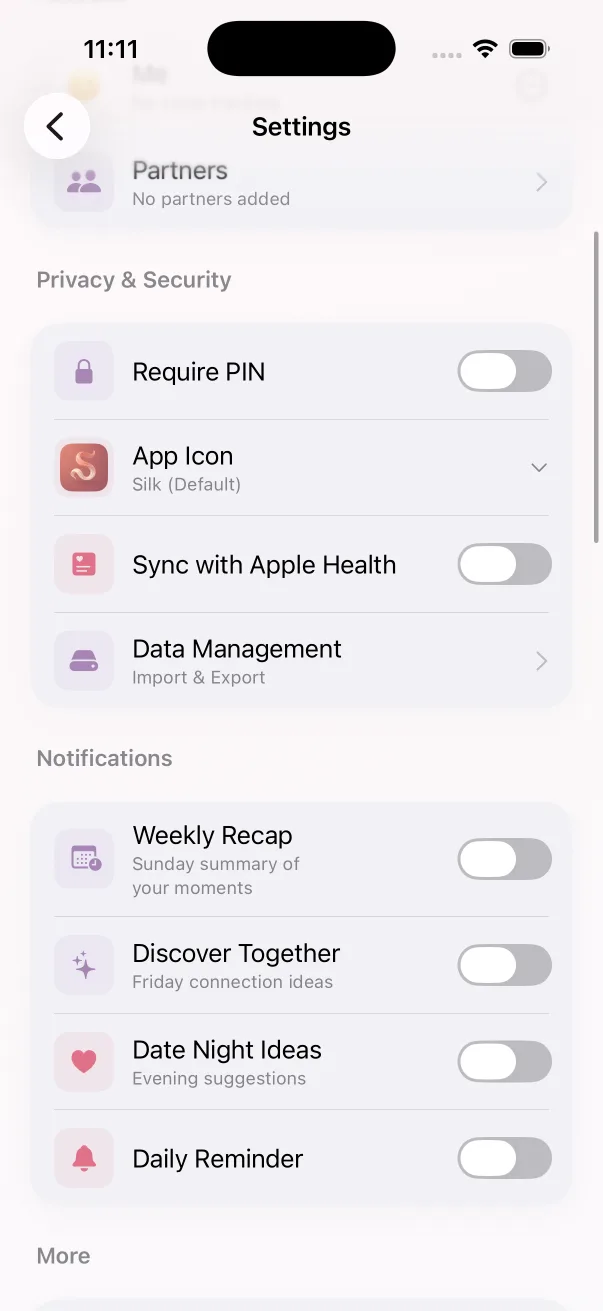
Silk only reveals itself after you enter the PIN. If someone types numbers into the calculator, they get a calculator.
On the device you logged it on. There is no account, no server of ours and no partner sync. Apple Health sync is a switch you can leave off.
Home Screen
Discreet widgets look like a habit tracker, so the Home Screen gives nothing away.
Your data
Data management lives in settings: import, export, and it stays your call.
They see a calculator. Silk only reveals itself after you enter the PIN. If they type numbers into the calculator, they get a calculator.
No. Nothing syncs to us or to a partner. There are no accounts and no cloud backup. The data stays on the device you logged it on.
Silk is on the App Store, for iPhone.